> ## Documentation Index
> Fetch the complete documentation index at: https://ikun.mintlify.site/llms.txt
> Use this file to discover all available pages before exploring further.
# 游乐场
> **Agno 提供了一个直观的界面来测试和互动您的 AI 代理。**
 游乐场提供了一个强大的界面来测试您的代理系统,并具有广泛的功能。
* **流式支持**: 实时响应流式传输和中间状态回显给用户。
* **会话历史**: 在游乐场中直观地展示对话历史。
* **用户记忆**: 在对话中直观地展示用户详细信息和偏好。
* **配置**: 全面的配置界面,允许您查看代理参数、模型设置和工具配置。
* **推理支持**: 内置支持,可在游乐场界面中显示详细的推理跟踪。
* **人工介入支持**: 通过专门的人工监督和批准,在代理工作流中启用手动干预。
* **多模态支持**: 支持处理和生成文本、图像、音频和其他媒体类型。
* **多代理系统**: 支持多代理团队和工作流。
## 在本地与您的代理进行交互
```python playground.py theme={null}
from agno.agent import Agent
from agno.models.openai import OpenAIChat
from agno.playground import Playground
from agno.storage.sqlite import SqliteStorage
from agno.tools.duckduckgo import DuckDuckGoTools
from agno.tools.yfinance import YFinanceTools
agent_storage: str = "tmp/agents.db"
web_agent = Agent(
name="Web Agent",
model=OpenAIChat(id="gpt-4o"),
tools=[DuckDuckGoTools()],
instructions=["Always include sources"],
# Store the agent sessions in a sqlite database
storage=SqliteStorage(table_name="web_agent", db_file=agent_storage),
# Adds the current date and time to the instructions
add_datetime_to_instructions=True,
# Adds the history of the conversation to the messages
add_history_to_messages=True,
# Number of history responses to add to the messages
num_history_responses=5,
# Adds markdown formatting to the messages
markdown=True,
)
finance_agent = Agent(
name="Finance Agent",
model=OpenAIChat(id="gpt-4o"),
tools=[YFinanceTools(stock_price=True, analyst_recommendations=True, company_info=True, company_news=True)],
instructions=["Always use tables to display data"],
storage=SqliteStorage(table_name="finance_agent", db_file=agent_storage),
add_datetime_to_instructions=True,
add_history_to_messages=True,
num_history_responses=5,
markdown=True,
)
playground_app = Playground(agents=[web_agent, finance_agent])
app = playground_app.get_app()
if __name__ == "__main__":
playground_app.serve("playground:app", reload=True)
```
在运行游乐场应用程序之前,请记住导出您的 `OPENAI_API_KEY`。
确保 `serve()` 指向包含您的 `Playground` 应用程序的文件。
通过 [agno.com](https://app.agno.com) 进行身份验证,以便您的本地应用程序可以让 agno 知道您正在运行游乐场的端口。
有关如何使用 Agno 进行身份验证的说明,请查看 [身份验证指南](how-to/authentication)。
不会将任何数据发送到 agno.com,所有代理数据都存储在您本地的 sqlite 数据库中。
安装依赖项并运行您的游乐场服务器:
```shell theme={null}
pip install openai duckduckgo-search yfinance sqlalchemy 'fastapi[standard]' agno
python playground.py
```
* 打开提供的链接或导航到 `http://app.agno.com/playground`(需要登录)。
* 添加/选择 `localhost:7777` 端点并开始与您的代理聊天!
寻找自托管的替代方案?查看我们的 [开源代理 UI](https://github.com/agno-agi/agent-ui) - 一个使用 Next.js 和 TypeScript 构建的现代代理界面,其功能与 Agent Playground 完全相同。
游乐场提供了一个强大的界面来测试您的代理系统,并具有广泛的功能。
* **流式支持**: 实时响应流式传输和中间状态回显给用户。
* **会话历史**: 在游乐场中直观地展示对话历史。
* **用户记忆**: 在对话中直观地展示用户详细信息和偏好。
* **配置**: 全面的配置界面,允许您查看代理参数、模型设置和工具配置。
* **推理支持**: 内置支持,可在游乐场界面中显示详细的推理跟踪。
* **人工介入支持**: 通过专门的人工监督和批准,在代理工作流中启用手动干预。
* **多模态支持**: 支持处理和生成文本、图像、音频和其他媒体类型。
* **多代理系统**: 支持多代理团队和工作流。
## 在本地与您的代理进行交互
```python playground.py theme={null}
from agno.agent import Agent
from agno.models.openai import OpenAIChat
from agno.playground import Playground
from agno.storage.sqlite import SqliteStorage
from agno.tools.duckduckgo import DuckDuckGoTools
from agno.tools.yfinance import YFinanceTools
agent_storage: str = "tmp/agents.db"
web_agent = Agent(
name="Web Agent",
model=OpenAIChat(id="gpt-4o"),
tools=[DuckDuckGoTools()],
instructions=["Always include sources"],
# Store the agent sessions in a sqlite database
storage=SqliteStorage(table_name="web_agent", db_file=agent_storage),
# Adds the current date and time to the instructions
add_datetime_to_instructions=True,
# Adds the history of the conversation to the messages
add_history_to_messages=True,
# Number of history responses to add to the messages
num_history_responses=5,
# Adds markdown formatting to the messages
markdown=True,
)
finance_agent = Agent(
name="Finance Agent",
model=OpenAIChat(id="gpt-4o"),
tools=[YFinanceTools(stock_price=True, analyst_recommendations=True, company_info=True, company_news=True)],
instructions=["Always use tables to display data"],
storage=SqliteStorage(table_name="finance_agent", db_file=agent_storage),
add_datetime_to_instructions=True,
add_history_to_messages=True,
num_history_responses=5,
markdown=True,
)
playground_app = Playground(agents=[web_agent, finance_agent])
app = playground_app.get_app()
if __name__ == "__main__":
playground_app.serve("playground:app", reload=True)
```
在运行游乐场应用程序之前,请记住导出您的 `OPENAI_API_KEY`。
确保 `serve()` 指向包含您的 `Playground` 应用程序的文件。
通过 [agno.com](https://app.agno.com) 进行身份验证,以便您的本地应用程序可以让 agno 知道您正在运行游乐场的端口。
有关如何使用 Agno 进行身份验证的说明,请查看 [身份验证指南](how-to/authentication)。
不会将任何数据发送到 agno.com,所有代理数据都存储在您本地的 sqlite 数据库中。
安装依赖项并运行您的游乐场服务器:
```shell theme={null}
pip install openai duckduckgo-search yfinance sqlalchemy 'fastapi[standard]' agno
python playground.py
```
* 打开提供的链接或导航到 `http://app.agno.com/playground`(需要登录)。
* 添加/选择 `localhost:7777` 端点并开始与您的代理聊天!
寻找自托管的替代方案?查看我们的 [开源代理 UI](https://github.com/agno-agi/agent-ui) - 一个使用 Next.js 和 TypeScript 构建的现代代理界面,其功能与 Agent Playground 完全相同。
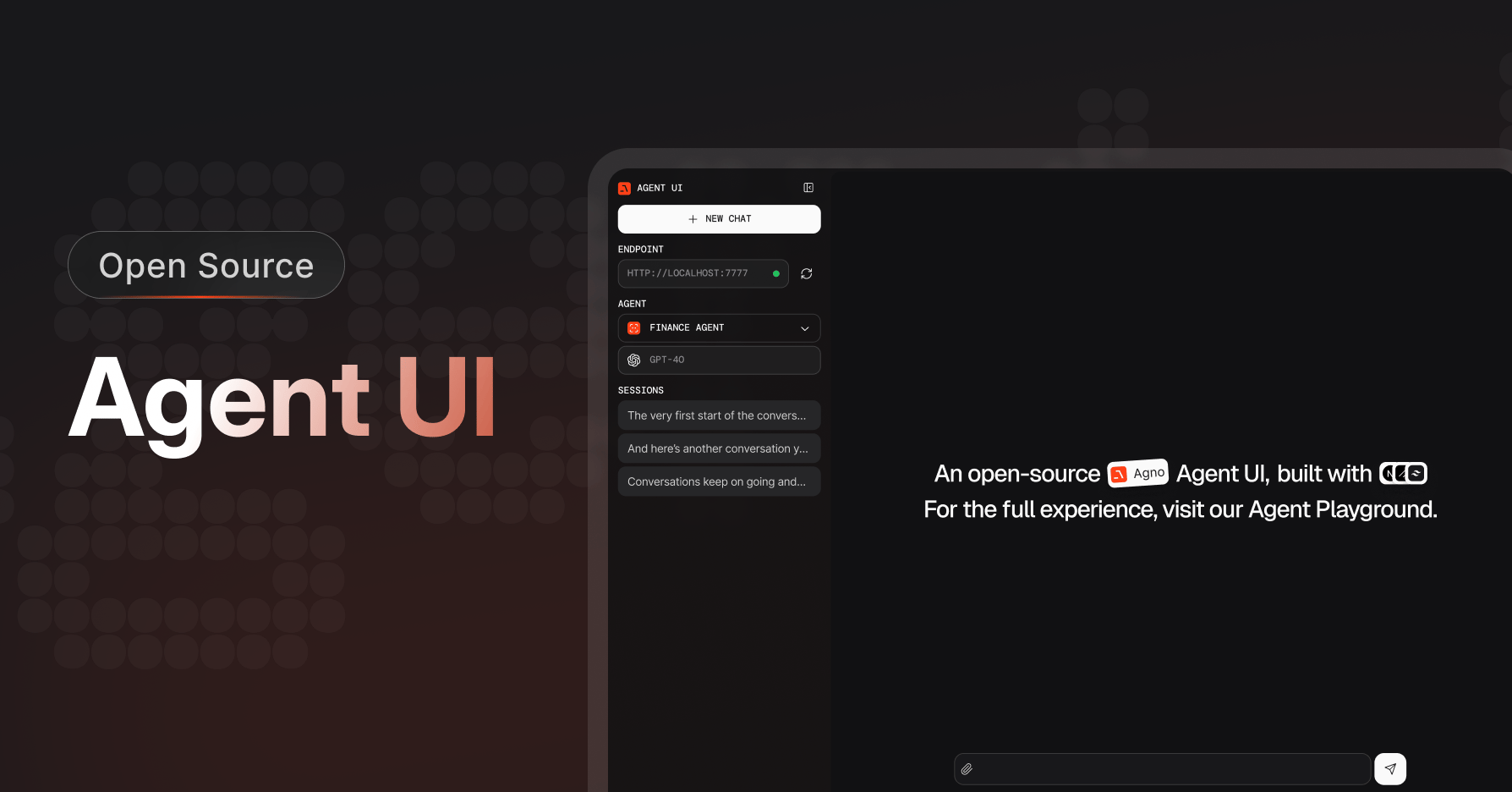 ### 开始使用 Agent UI
```bash theme={null}
# Create a new Agent UI project
npx create-agent-ui@latest
# Or clone and run manually
git clone https://github.com/agno-agi/agent-ui.git
cd agent-ui && pnpm install && pnpm dev
```
该 UI 默认连接到 `localhost:7777`,与上面的游乐场设置匹配。有关更多详细信息,请访问 [GitHub](https://github.com/agno-agi/agent-ui)。
遇到连接问题?请查看我们的 [故障排除指南](/faq/playground-connection)
### 开始使用 Agent UI
```bash theme={null}
# Create a new Agent UI project
npx create-agent-ui@latest
# Or clone and run manually
git clone https://github.com/agno-agi/agent-ui.git
cd agent-ui && pnpm install && pnpm dev
```
该 UI 默认连接到 `localhost:7777`,与上面的游乐场设置匹配。有关更多详细信息,请访问 [GitHub](https://github.com/agno-agi/agent-ui)。
遇到连接问题?请查看我们的 [故障排除指南](/faq/playground-connection)